A security team found a way to break out of Claude Desktop's sandbox — and get root on its VM
A security research team called Armadin has found a way to punch through the sandbox isolation in Anthropic’s Claude Desktop app for Windows. The flaw lets an attacker gain root access inside the Ubuntu virtual machine that powers Claude Cowork — and then send data past the network boundaries Anthropic put in place.
Claude Cowork is Anthropic’s automation tool for professionals. It runs Claude Code inside a Hyper-V-isolated Ubuntu VM on Windows, designed to keep any malicious code contained. Users rely on it for development, data processing, and other sensitive tasks, so the sandbox is supposed to be a hard shell.
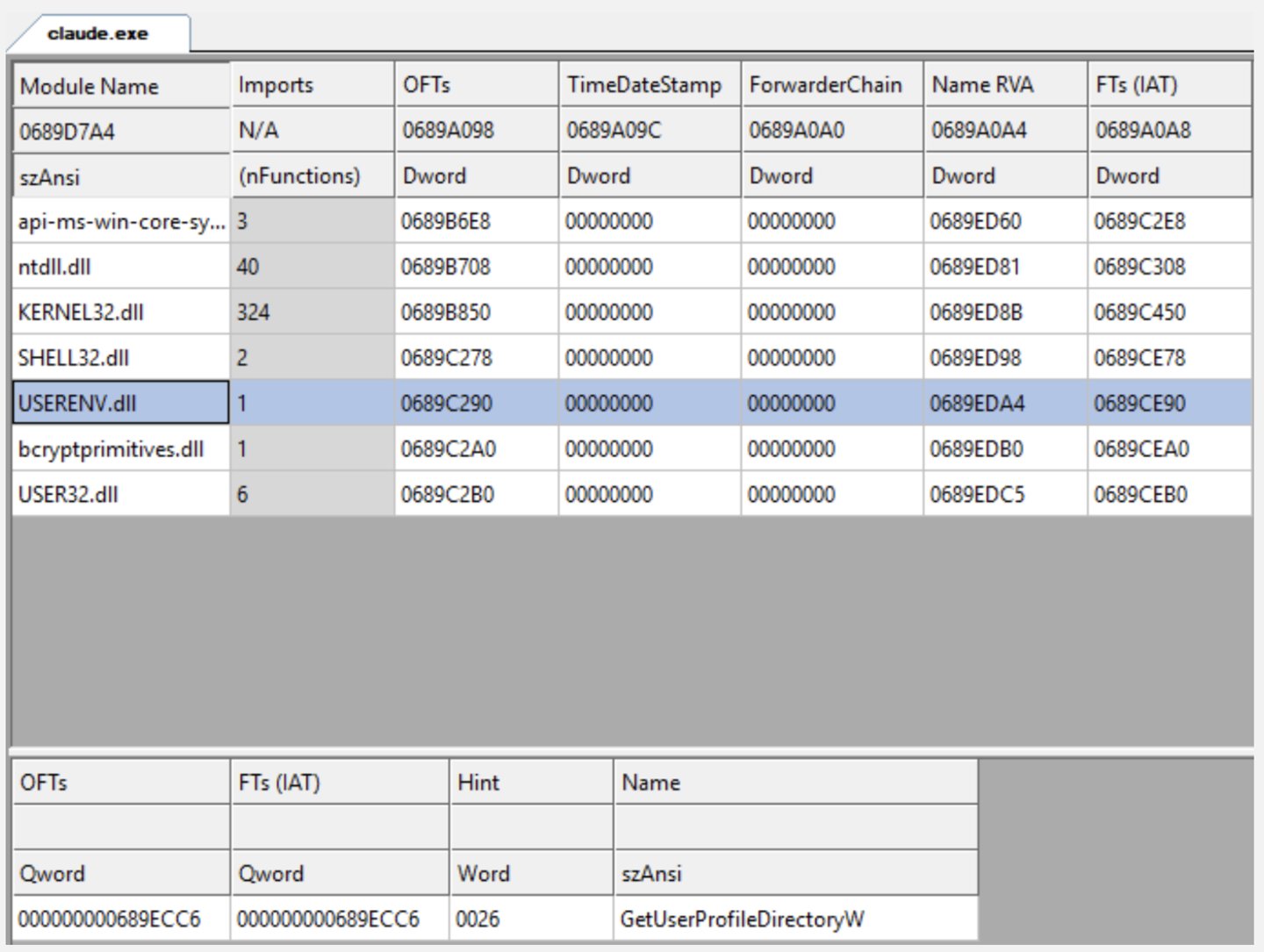
Armadin says the weak link is a Windows service called CoworkVMService. This service receives requests from Claude Desktop and forwards them into the VM for execution. The researchers used a DLL sideloading technique — tricking Anthropic’s digitally signed claude.exe into loading a malicious DLL — so the rogue code ran inside a legitimate process. That let them bypass CoworkVMService’s identity check on who was making the call.
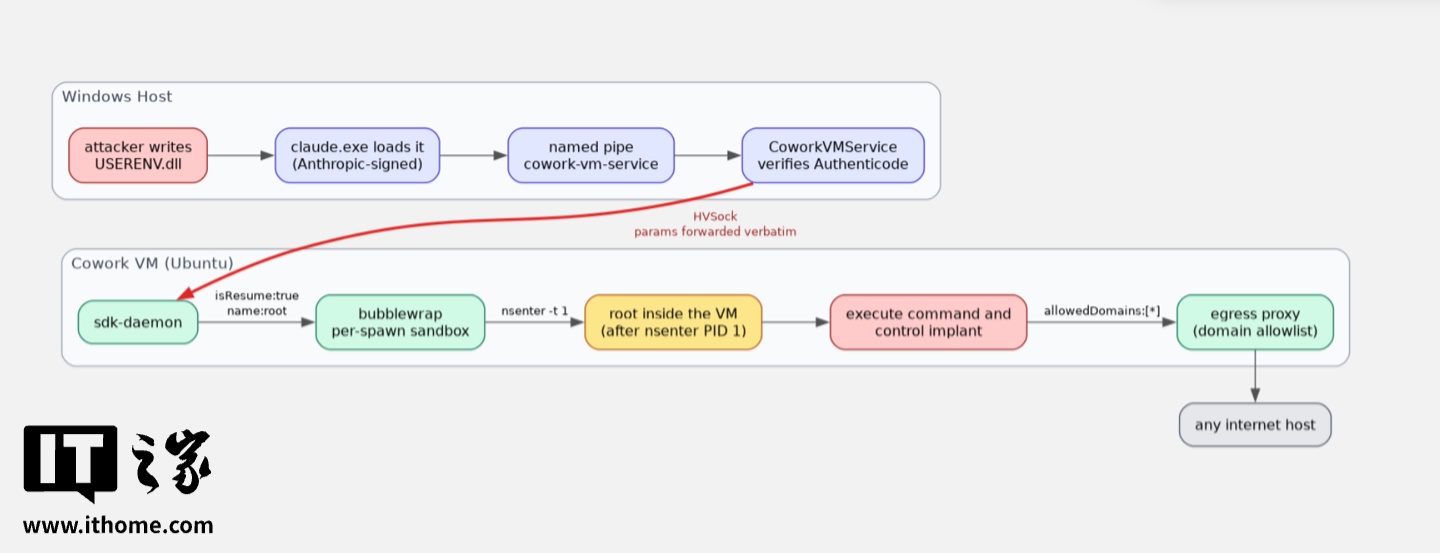
From there, things got worse. Some execution parameters let the researchers directly modify the VM’s security configuration. One parameter allowed commands to run as an existing Linux user — they chose root, giving themselves maximum privileges inside the VM. Another parameter overrode the domain whitelist that controls which external servers the VM can reach during a single task.
With root access and no network restrictions, an attacker can grab running process data and session information from inside the VM, then exfiltrate it to any external server they control.
Anthropic’s response was measured. The company argues that the attack chain requires the attacker to already have local code execution on the Windows host — so it’s not, in their view, a vulnerability in Claude Desktop itself. Armadin sees it differently, calling it a design flaw in the product.
For now, the practical advice is blunt: if your organization doesn’t need Claude Cowork, uninstall Claude Desktop entirely. If you do need it, lock down who can run it, and keep an eye on whether claude.exe loads DLLs from anywhere outside its expected directories.