How Attackers Turned Microsoft's Own Login Pages Into Phishing Bait
There’s a kind of phishing that’s nearly impossible to spot at first glance — because you’re logging into the real website. Kaspersky researchers have documented a campaign that weaponized Microsoft’s own identity platform, tricking victims into completing a legitimate OAuth authentication flow on microsoft.com while attackers pocketed the access tokens behind the scenes.
Between April and May 2026, attackers exploited Microsoft’s OAuth 2.0 Device Authorization Grant flow. This protocol is designed for devices that can’t handle full browser-based logins — think smart TVs or command-line tools. The user gets a one-time code, enters it at a URL like https://microsoft.com/devicelogin, and the device silently polls for a token. It’s convenient. It’s also exploitable.
The attack started with an email disguised as a notice from a law firm, carrying a password-protected PDF. Open the file, enter the password, and a landing page appeared listing several legal documents. Clicking a link — which appeared to point to a legitimate Microsoft address — redirected through URL parameters to a fake corporate legal portal.
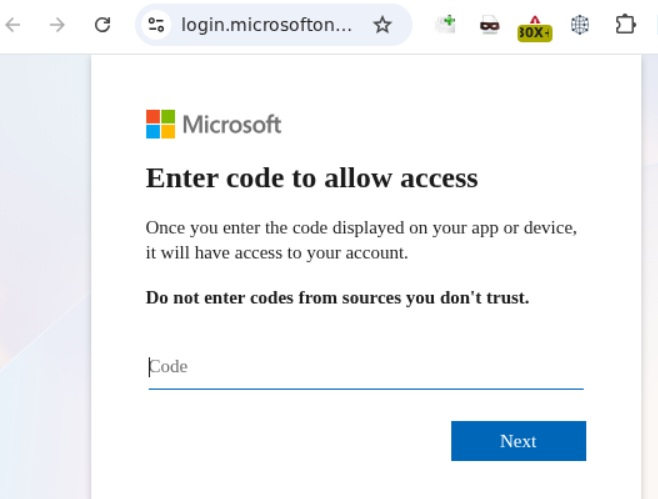
The phishing page was layered. It presented multiple CAPTCHA challenges, then instructed the user to copy a one-time code. That code wasn’t generated by Microsoft for the victim — it was a user_code the attackers had already requested from https://login.microsoftonline.com/{tenant}/oauth2/v2.0/devicecode on their own server.
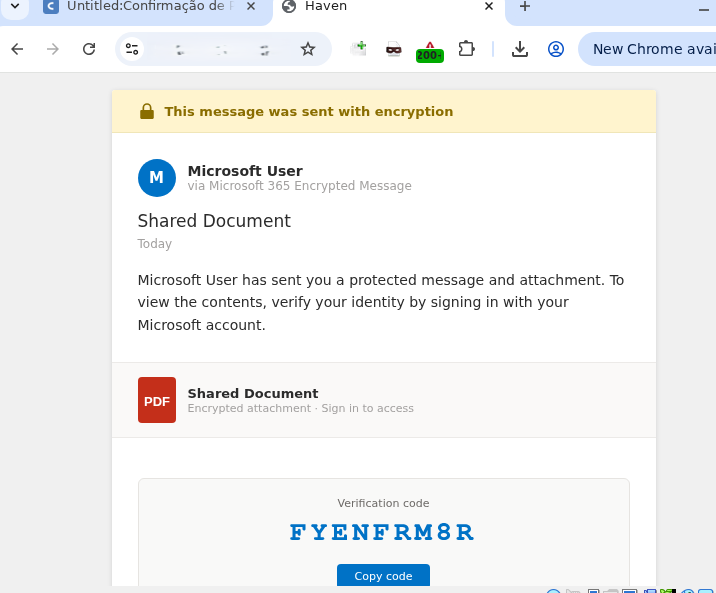
When the victim pasted the code, the page auto-copied it and redirected to Microsoft’s real authentication page. The user entered their credentials and completed multi-factor authentication on the actual microsoft.com domain. From the victim’s perspective, everything looked legitimate. From the attackers’ perspective, their server — polling the token endpoint with that same device code — now held a valid access_token, refresh_token, and id_token.
The OAuth flow is what makes this dangerous. After authentication, Microsoft’s server sends the tokens to whichever client requested them — in this case, the attacker’s server. The access_token lasts about an hour, but the refresh_token lets the attacker silently extend access. With those tokens, they can read emails and export OneDrive files. Teams conversations are also accessible.
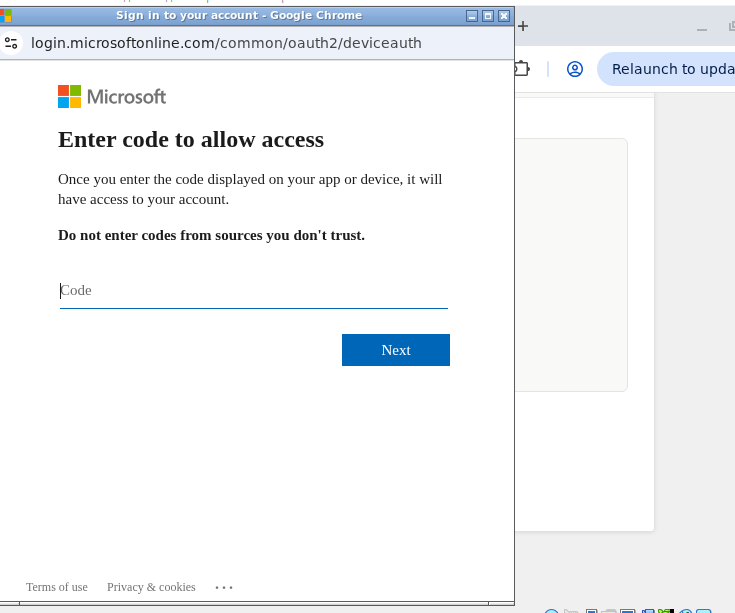
The device code flow is a legitimate protocol feature, so it can’t simply be turned off at the platform level. The attack works because it exploits trust in the microsoft.com domain itself. For organizations using Microsoft 365, the most effective defense isn’t technical — it’s awareness. If a login page asks you to copy and paste a code before redirecting you to an authentication page, the token is being handed to someone else. The safest move is to close the page and report it.
Kaspersky’s full report includes technical indicators of compromise and recommended detection rules for security teams monitoring token-based authentication logs.