Microsoft PowerToys to Add New AltWindowCycle Module for Switching Between Windows of the Same App
Microsoft plans to introduce a new AltWindowCycle module in PowerToys that will allow Windows 10 and Windows 11 users to quickly switch between multiple windows of the same application, similar to how Alt + Tab works but scoped to the current program only.
The feature was proposed by Clint Rutkas and is currently in a pull request on GitHub. The AltWindowCycle utility uses the Alt + ` (backtick) keyboard shortcut by default to cycle through windows within the same process.
For example, if a user has four browser windows open, pressing Alt + Tab switches between all running windows across every application. But pressing Alt + ` restricts the switching to only those four browser windows — leaving other applications out of the cycle.
Like other PowerToys utilities, AltWindowCycle is fully customizable. Users can remap the default shortcuts: Alt + switches to the next window, while Alt + Shift + switches to the previous window. Any alternative key combination can be assigned instead.
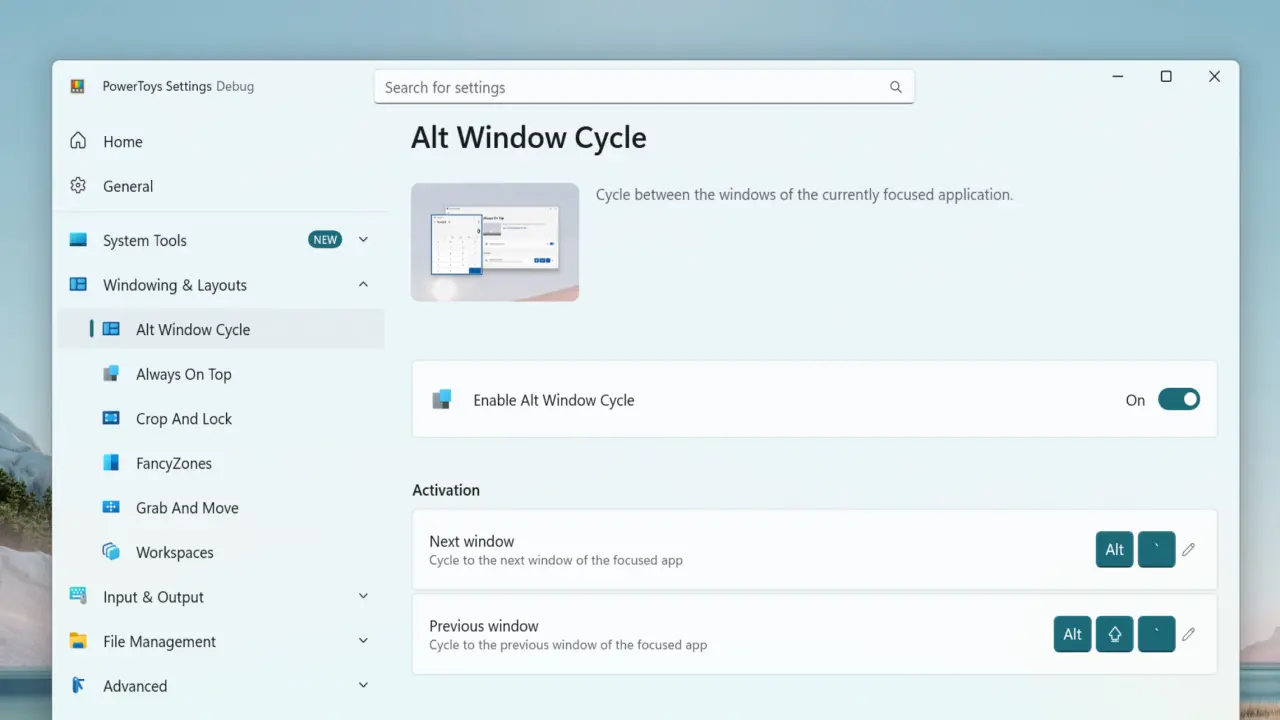
This tool is particularly useful for users who regularly juggle multiple browser tabs across separate windows, manage several terminal sessions, or work with multiple editor instances simultaneously — tasks where the conventional Alt + Tab behavior becomes cumbersome.
Microsoft has not yet announced a specific release timeline for AltWindowCycle. Users will have to wait for a future PowerToys update to gain access to the new functionality.